


Apple‘s annual developer conference, WWDC, is usually a time for excitement, especially when it comes to the iPad Pro. This year, however, the focus on iPadOS 18 left many professional users feeling like they’d been dealt a losing hand.
The M4 chip, unveiled in May 2024, promised a powerhouse performance upgrade for the 2024 iPad Pro with its stunning new OLED display. But instead of software that could truly harness this potential, Apple delivered a feature set that felt underwhelming at best.

The biggest “innovation” for iPad users this year? A standalone Calculator app. Yes, you read that right. After 14 years, Apple finally decided to grace the iPad with a blown-up version of the existing iPhone calculator. Now, it’s not a bad calculator, but it’s hardly the kind of groundbreaking feature professional users were expecting.

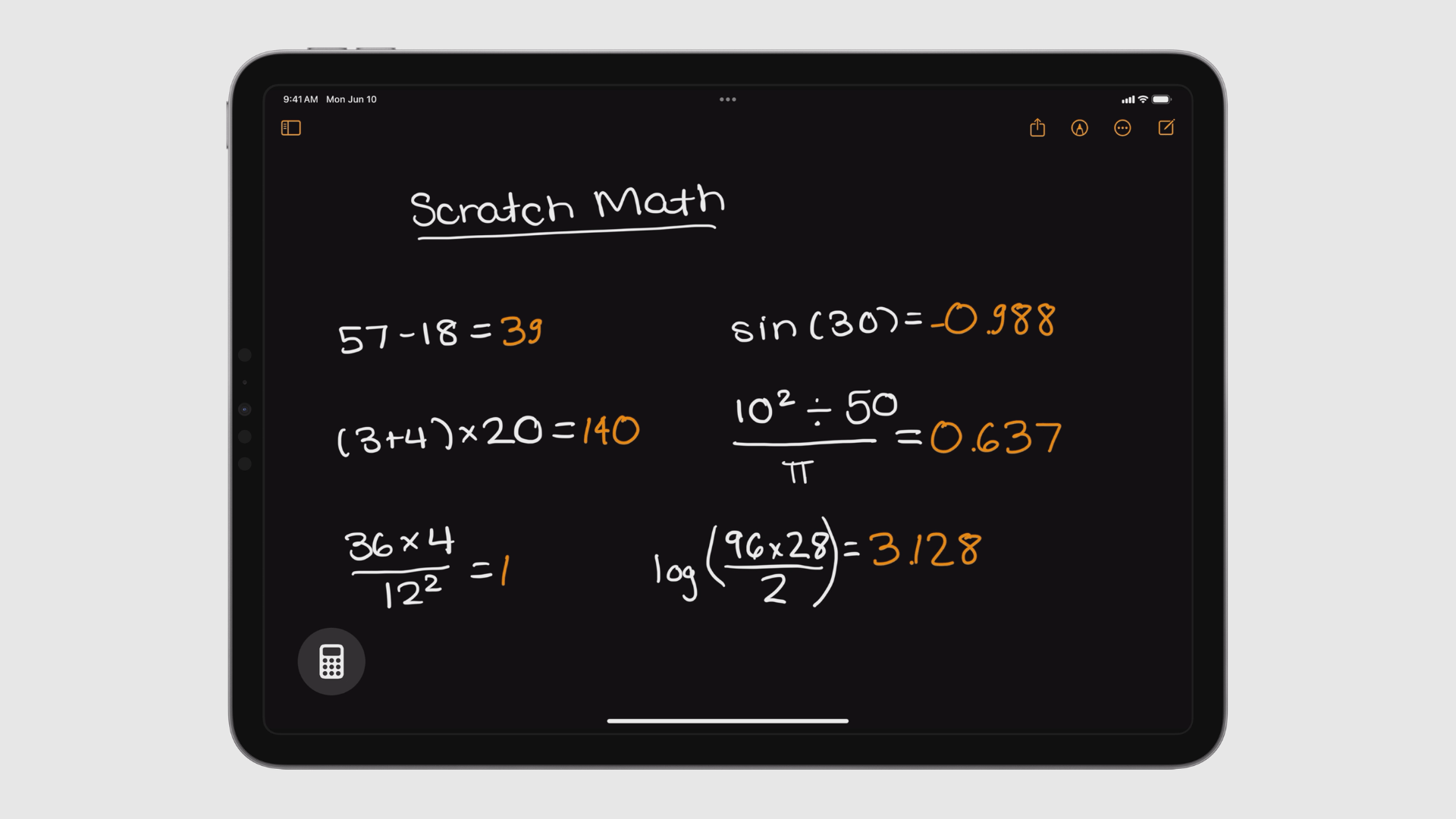
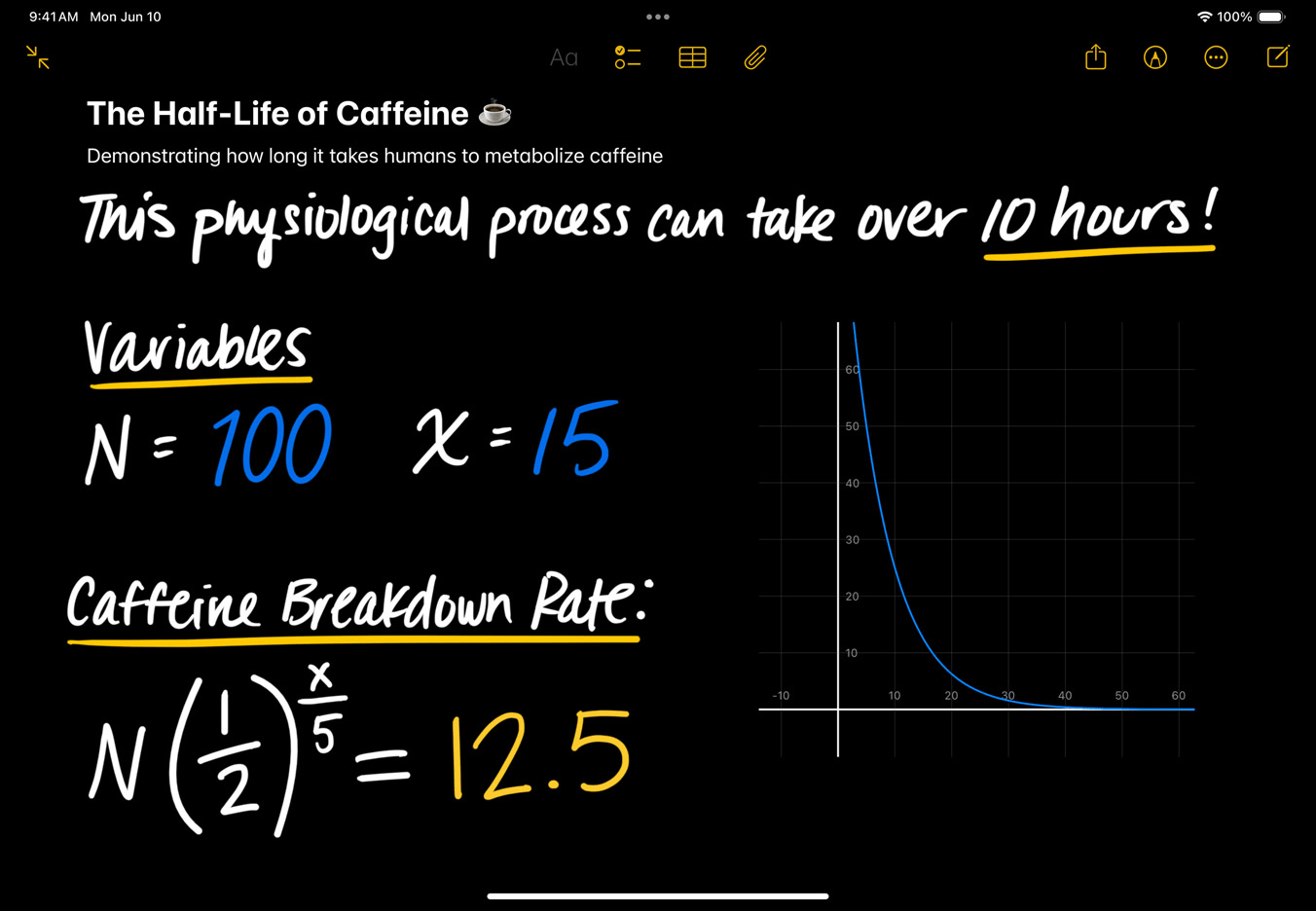
There were a couple of other minor additions that seemed more like afterthoughts than genuine advancements. One borrows functionality from a popular third-party app, allowing users to perform basic calculations within the Notes app with plain English commands. Another introduces a new interface for using the Apple Pencil to write out dynamic calculations, similar to Microsoft Math Solver.
These features, while potentially useful, do little to address the core issue: iPadOS 18 still treats the iPad Pro primarily as a secondary device for professional tasks. There’s no sign of features that would allow it to compete more directly with a laptop.
Some might argue that the iPad Pro doesn’t need to run macOS. Perhaps, in the future, Apple’s devices will work more seamlessly together, with iPad mirroring Mac, Apple TV mirroring iPad, and so on. But that’s not the reality today.
So, what were professional users hoping for? Here’s a shortlist:
- Pro apps: The absence of essential pro applications like Xcode, Preview, and TextEdit is a glaring omission.
- Multitasking enhancements: There’s still a lack of flexibility when it comes to installing apps, running background utilities, and managing background processes during demanding tasks like video editing.
- Window management: Stage Manager, introduced last year, feels unfinished and unpolished.
- User accounts: Unlike Macs, iPads lack the ability to create separate user accounts, limiting their usefulness in shared environments.
The overall impression from WWDC was one of missed opportunities. While some of the iPadOS 18 features might trickle down to iPhones and be generally useful, there’s little here that feels specifically designed to tap into the power of the M4 iPad Pro. Here’s hoping next year brings a more substantial update for professional iPad users.
Related /
- Apple iPadOS 18: everything you need to know
- The iPad gets a calculator app (finally!)
- Apple Passwords app keeps your logins secure and easily accessible across all your devices
- What is Apple Intelligence
Discover more from GadgetBond
Subscribe to get the latest posts sent to your email.


