



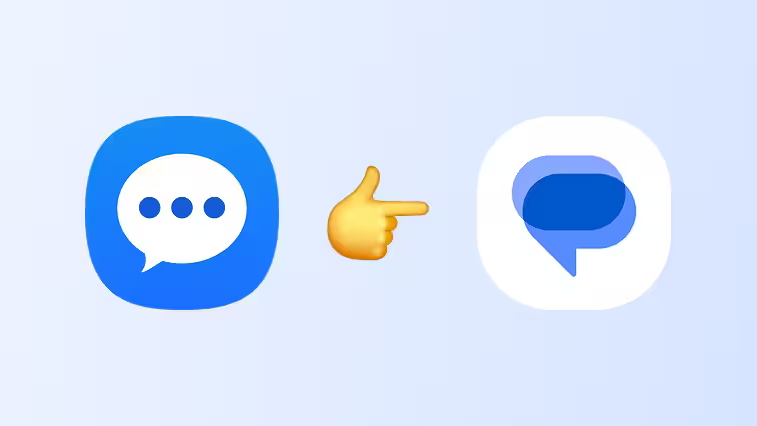
Samsung Messages is officially on borrowed time, and honestly, it was always going to end like this. For a lot of long-time Galaxy users, that little blue-and-white chat bubble has been part of the muscle memory of owning a Samsung phone for years, so hearing it will shut down permanently in July stings a bit. But if you zoom out from the nostalgia, the writing has been on the wall for a long time — and the move to Google Messages is less a betrayal of the past and more a blunt admission of where Android messaging had to go.
Samsung itself started preparing users for this breakup years ago. Google Messages quietly became the default texting app on Galaxy phones back in 2022 with the Galaxy S22 series, while Samsung Messages was left installed but sidelined. By 2024, Samsung stopped pre‑installing its own Messages app entirely, and at that point, it was basically living on borrowed time, hanging around only for loyalists who manually set it as default or carried it forward across device upgrades.
The real reason this switch is happening can be summed up in three letters: RCS. Rich Communication Services is what turns old-school SMS into something that behaves more like a modern chat platform: read receipts, typing indicators, proper group chats, better media quality, and more. Google Messages became the de facto home for RCS on Android after Google took RCS rollout away from carriers in 2019 and made it available to anyone using Google Messages, regardless of carrier or phone brand.
Before that, the whole RCS story on Android was kind of a mess. Carriers tried to run their own versions with different standards and inconsistent support, and Samsung Messages even hooked into some of those implementations for a while. But because everything depended on carrier-specific integrations, RCS never worked reliably for everyone, and a lot of users were stuck in a limbo where features worked with some people and broke with others.
Google’s move in 2019 changed the dynamic: RCS stopped being a random perk dependent on your carrier and started becoming a core feature of the Google Messages app itself. Other phone makers clearly saw the direction of travel; OnePlus switched to Google Messages as default in 2020, and Samsung formally joined that party two years later. By 2023, RCS in Google Messages was enabled by default for new and existing users, which basically cemented it as the “real” Android messaging experience.
From a user-experience standpoint, once you get used to RCS, going back to bare-bones SMS feels like dropping from fiber to dial‑up. Seeing when your message has been read, watching the typing indicator bubble, being able to manage group chats properly, and sending photos and videos that don’t turn into blurry mush — all of that quickly becomes table stakes. If you’re still on Samsung Messages, you’re effectively opting out of that richer baseline and holding on to a simpler, more limited era of texting.
There’s also the ecosystem angle. Google Messages has grown into more than just a green-and-white chat window; it now includes things like desktop pairing, message scheduling, pinned conversations, and a pile of smart features that lean on Google’s services. Samsung Messages, on the other hand, hasn’t been a strategic focus for Samsung for years, so it hasn’t kept up with that pace of iterative improvement, and the gap has only widened.
Of course, not everyone is happy about any of this, and that frustration is valid. For users who don’t care about RCS or who prioritize a clean, minimal UX over feature creep, Samsung Messages often felt lighter and more straightforward than Google Messages. Some users argue that letting Google own the only serious RCS client on Android creates a soft monopoly over carrier-based messaging on the platform, especially since the AOSP Messages app has effectively been sidelined instead of evolving to support RCS itself.
That’s where the philosophical tension kicks in. Android has always sold itself on “be together, not the same,” and yet the consolidation around Google Messages makes the messaging story on Android feel more centralized than ever. For people who chose Android partly to avoid that sort of single-vendor lock‑in, the death of Samsung Messages lands less like a minor product cleanup and more like another step toward a more homogenized ecosystem.
Still, if you look at this from the lens of the average Galaxy owner rather than a power user debating platform politics, the trade-off is pretty clear. Most people want their messages to send fast, sync reliably, and support all the modern niceties without needing to toggle obscure settings or worry about which carrier supports what. Consolidating around one robust, feature-rich client that actually delivers that — even if it means losing a legacy app — is arguably the most practical way to get there.
That doesn’t mean the transition will be painless. Anyone still using Samsung Messages will have to get used to a different interface, reorganize their settings, and adapt to new behaviors and quirks in Google Messages. But in exchange, they get an app that is actively developed, tightly integrated with Android’s long-term messaging roadmap, and far better positioned to keep evolving as carriers, regulators, and competing platforms push for richer cross‑platform messaging.
In the end, the death of Samsung Messages feels less like a shock twist and more like a season finale everyone saw coming. Samsung kept the app on life support long enough for its user base to slowly migrate, then finally circled a date on the calendar and pulled the plug. For the nostalgic, it’s a “die my love” moment with an app they’ve used for years; for the broader Android ecosystem, it’s one more step toward a unified, RCS‑first future that was always going to need fewer passengers and a clearer driver.
Discover more from GadgetBond
Subscribe to get the latest posts sent to your email.


