


Xbox team rolling out an Xbox May update which brings improvements in Quick Resume, Passthrough audio for media apps, and new dynamic background.
Xbox built Quick Resume feature for Xbox Series X and Xbox Series S powered by Xbox Velocity Architecture which lets you switch between multiple games and resume gameplay instantly from where you left off. With the May update, it’s now getting much better and faster load times as well as easier to identify and access games that support and are saved to Quick Resume.

Now players will be able to see if their current game supports Quick Resume with a new tag. Gamers on Xbox Series X|S can also take advantage of a new group that lists all the games currently saved in Quick Resume. You can use the group to see which games are ready to launch from Quick Resume and launch from there. Like other groups, you can add it to Home for quicker access or customize your experience by removing a game from the Quick Resume state.

May update for Xbox also brings a new “Allow Passthrough” button on the Xbox audio settings screen, it is indicating when you are using a compatible media app with passthrough audio enabled, see the guide below:

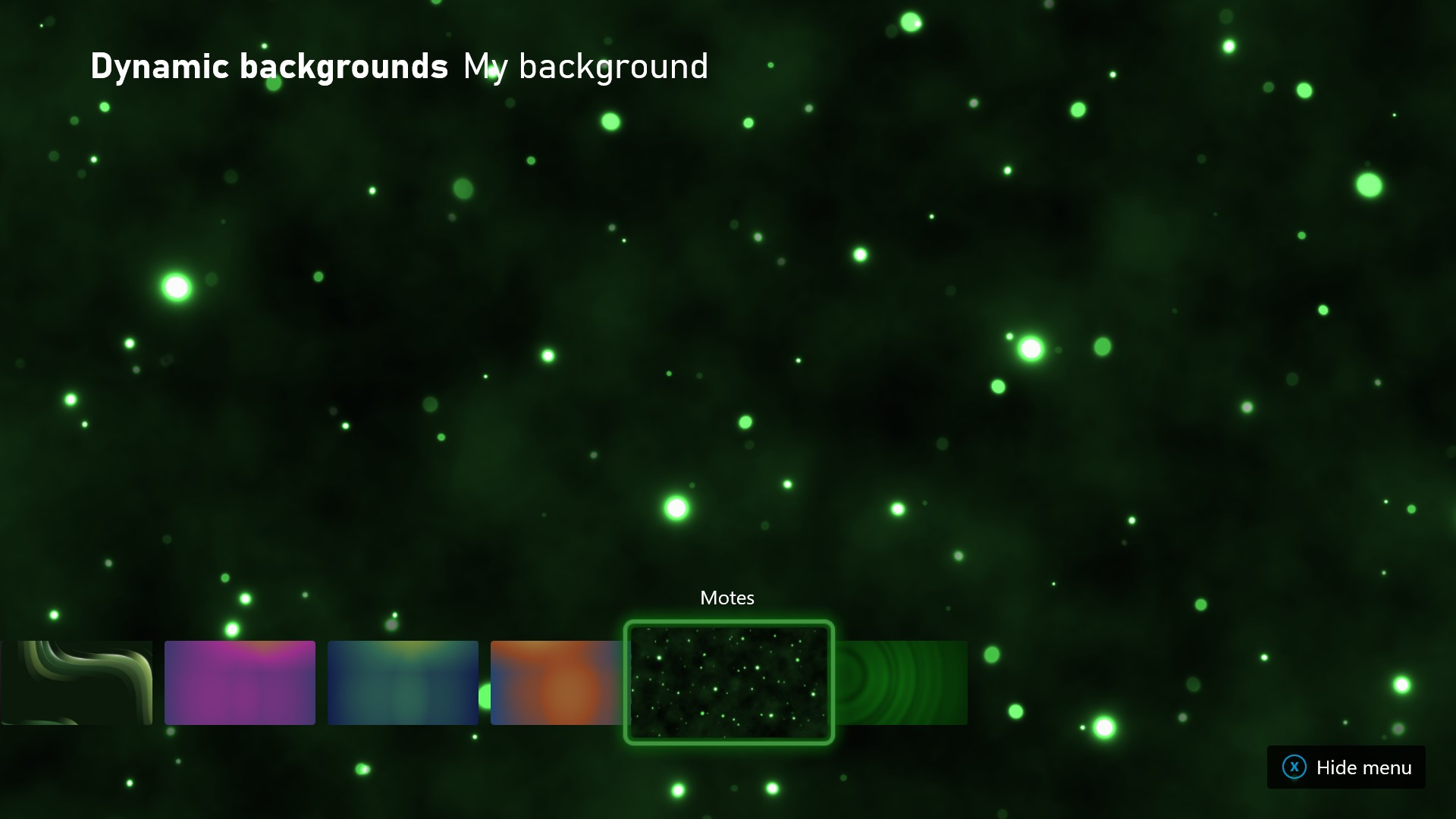
Also, there is one more additional dynamic background called “Motes” added for Xbox Series X and Xbox Series S, you can find this new Motes pattern by going to Settings > General > Personalization > My background > Dynamic background.
Now you will be soon can approve multiplayer games where you can play and communicate with other games by specific title straight from your console or in the Xbox Family Settings app. If your child wants to play a specific game in multiplayer mode but they’re blocked by family settings, they can send a request to unblock multiplayer for that game only. You’ll get a notification through the Xbox Family Settings app with the option to learn more about the game and then decide whether to approve your kid’s request. Any family organizer in your Family Group can remove the game from the approved list at any time from your phone or console.

Xbox app for Android and iOS will soon get a new push notification that lets you know when your favorite friends go online, also Xbox will update achievements game pages to add game stats, including time played. Xbox also made some improvements to performance on loading the chats tab and sending messages in the app.
And lastly, starting this June Xbox will be removing the Xbox One SmartGlass app from Microsoft Store. However, you can still continue to use the Xbox app for Windows 10 PCs to discover and download new games with Xbox Game Pass.
🎮 Level up your gaming experience with Xbox Game Pass Ultimate! Play new games like Halo Infinite, Forza Horizon 5, and Starfield on day one. Enjoy hundreds of high-quality games across Xbox console, PC, and the cloud—all with one subscription. Connect with friends and millions of players in the Xbox community for epic multiplayer sessions.
🌟 Key Features:
- Play on your phone, tablet, or PC from the cloud.
- Join friends directly on the console or PC for multiplayer fun.
- Access all the benefits of EA Play, including FIFA, Battlefield, and Star Wars titles.
Discover current hits, cult classics, and more—there’s something for everyone with Xbox Game Pass Ultimate. Tap into the heart of gaming and elevate your play today!
Discover more from GadgetBond
Subscribe to get the latest posts sent to your email.


