You can now spin up OpenClaw — a powerful, local‑first AI agent — for free on any NVIDIA RTX GPU or the new DGX Spark “AI box,” and turn your PC into an always‑on digital assistant that actually lives on your machine instead of in someone else’s cloud.
What OpenClaw actually is
OpenClaw is an open‑source “local‑first” AI agent framework that runs on your own hardware and talks to models you choose, from small open‑source LLMs to giant cloud models. Instead of being just another chat window, it’s designed to sit in the background like a smart operating system layer that remembers context, keeps state, and can trigger actions via skills.
In practice, that means it can read and organize your files, follow up on emails, monitor projects and run automations — all while keeping data on your machine if you want it that way. Under the hood, it uses a skill‑based, model‑agnostic architecture, so you can mix and match capabilities and swap models without rebuilding everything.
Why NVIDIA RTX and DGX Spark are a big deal
OpenClaw has one major requirement: it loves VRAM and RAM. Larger models, longer context windows and always‑on operation can quickly get expensive in the cloud. That’s where NVIDIA’s hardware lineup clicks into place.
On a typical GeForce or NVIDIA RTX GPU, OpenClaw can tap Tensor Cores and CUDA‑accelerated backends like Llama.cpp, LM Studio and Ollama to run local LLMs efficiently. NVIDIA’s own guide walks through using RTX GPUs with LM Studio or Ollama and recommends models like Nemotron 3 Nano, Qwen 3.5, or openai/gpt‑oss‑20b, depending on whether you have 6GB, 16GB or 24GB+ of VRAM.
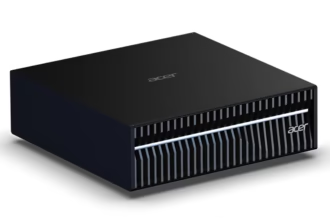
DGX Spark pushes this to an almost ridiculous extreme for a desk‑side box: it pairs a Grace Blackwell GB10 “AI superchip” with 128GB of unified memory and up to 1 PFLOP of FP4 AI performance in a 150×150×50.5 mm chassis. NVIDIA says that’s enough to fine‑tune or locally run reasoning models up to roughly 200 billion parameters, and to handle multiple models (for example, an LLM plus vision models) concurrently. For OpenClaw, that means you can run large models with 32K‑token context windows and still have headroom for other agents or tools.
What “run it for free” actually means
“Free” here is about inference, not hardware. Once you have an RTX card or DGX Spark on your desk, there are three cost wins:
- No per‑token API bills: Local models via LM Studio, Ollama or NVIDIA’s own open models (Nemotron, etc.) don’t charge you by the request.
- Always‑on is suddenly affordable: OpenClaw is designed to run 24/7, monitoring channels and reacting in real time — something that would be painful with metered cloud APIs.
- Data stays in your environment: If you stick to local models or NVIDIA’s sandboxed stack, your files and internal tools never need to leave your network.
The NVIDIA guide shows a concrete setup: install OpenClaw under Windows Subsystem for Linux, then hook it to LM Studio or Ollama running locally, load a recommended model like gpt‑oss‑20b, and configure OpenClaw to talk to that backend via localhost. From that point on, the agent can run entirely on your GPU, with zero ongoing usage fees — your bottleneck is power and thermals, not an API bill.
What you can actually do with it
OpenClaw isn’t just a chat assistant; it’s built to behave more like a tiny team of tireless interns that never forget anything.
Some real‑world use cases NVIDIA and the OpenClaw community highlight:
- Personal secretary: Give it scoped access to a dedicated email and calendar, and it can draft replies, find meeting slots, and send reminders ahead of time.
- Proactive project manager: It can periodically check in on project threads over email or chat, summarize progress, and ping you (or teammates) when something is stuck.
- Research agent: It can search the web, combine it with your local PDFs and notes, and assemble structured reports tailored to your workflows.
The critical piece is skills: modular capabilities for things like database queries, file operations, local document retrieval, browser automation, or API calls into line‑of‑business tools. You can enable official skills from the OpenClaw sidebar or install community‑built ones via Clawhub, turning the agent into a kind of programmable automation bus running over your personal data and apps.
The new NVIDIA twist: NemoClaw and safer always‑on agents
NVIDIA isn’t just saying, “install OpenClaw and good luck.” It’s begun shipping its own glue layer for people who want serious, always‑on agents without turning their workstation into a security nightmare.
NemoClaw is an OpenClaw plugin built on NVIDIA’s Agent Toolkit that bundles OpenShell (a sandboxed runtime), policy enforcement, and inference routing into a one‑command setup. When you run the NemoClaw commands, it spins up an OpenShell sandbox, wires OpenClaw inside it, and applies network and data‑access guardrails so your agent can be “alive” all the time without having direct access to the open internet or your entire filesystem.
Inside that sandbox, NemoClaw can route inference flexibly:
- To local models via vLLM or NIM containers running on RTX or DGX Spark.
- To NVIDIA cloud endpoints like Nemotron 3 Super 120B through a privacy‑aware router, if you need heavyweight reasoning but still want policy control.
The upshot: on DGX Spark or any RTX box, you can run OpenClaw continuously, mix local and cloud models, and let the agent learn new skills — all while keeping strict policies about what data it sees and what it can touch.
A few very real safety caveats
All of this power comes with non‑theoretical risks, and NVIDIA is unusually blunt about them in its own guide.
Two stand out:
- Data leakage: If you wire OpenClaw into the same accounts you personally use, it could accidentally expose sensitive files or messages if something goes wrong, or if a malicious skill is added.
- Code and tool abuse: Skills that can run shell commands, edit documents, or call external APIs are inherently dangerous if misconfigured, compromised, or prompted in the wrong way.
NVIDIA’s own recommendations for testing are pretty pragmatic:
- Run OpenClaw on a separate, clean machine or VM, then copy over only the data you need it to see.
- Use dedicated accounts for the agent rather than your primary Gmail/Slack/etc.
- Start with no or minimal skills, and only add vetted skills as you understand how they behave.
- Lock down remote access to the web UI and messaging channels; don’t expose them on your LAN or the open internet without authentication and proper networking.
If you layer NemoClaw and OpenShell on top, you get an extra safety net via sandboxing and policy‑based guardrails — but it’s still early‑stage software, and NVIDIA’s own docs flag that it’s alpha‑quality and requires careful setup.
RTX PC vs DGX Spark for OpenClaw
Here’s a high‑level look at what running OpenClaw on a “normal” RTX PC versus a DGX Spark actually looks like in practice.
| Aspect | RTX gaming / creator PC | NVIDIA DGX Spark |
|---|---|---|
| Target user | Enthusiasts, developers, power users | Serious AI devs, teams, labs |
| Form factor | Standard tower/laptop | Tiny 150×150×50.5 mm desktop box |
| Memory | 8–24GB GPU VRAM + system RAM | 128GB unified CPU+GPU memory |
| AI performance | Depends on GPU (e.g. RTX 4070/4080/4090) | Up to 1 PFLOP FP4 AI compute |
| Model size sweet spot | 4–27B parameter LLMs, 32K context if tuned | Up to ~200B parameter models and multiple concurrent models |
| Setup flow | WSL + OpenClaw + LM Studio/Ollama + config edits | NVIDIA AI stack preinstalled, NemoClaw + OpenShell wizard available |
| Best use cases | Personal assistant, automation, hobby projects | Multi‑agent workflows, fine‑tuning, enterprise‑grade assistants |
| Cost of inference | No per‑token fees with local models | Same: no per‑token cost for local workloads |
The key story is that you no longer need a rack of data‑center GPUs to run a serious, always‑on agent: with RTX cards and DGX Spark, NVIDIA is trying to make “personal AI supercomputers” a thing, and OpenClaw is one of the first agent frameworks that really takes advantage of that local muscle.
Discover more from GadgetBond
Subscribe to get the latest posts sent to your email.