


Amazon‘s AI-powered shopping buddy, Rufus, is finally here for everyone in the United States. Announced earlier this year, Rufus has graduated from beta testing and is now ready to assist all Amazon app users with their shopping needs.
Related /
Imagine having a knowledgeable and helpful assistant by your side while you browse Amazon. That’s the idea behind Rufus. This AI chatbot lives conveniently within the Amazon app, waiting to answer your product questions, compare options, and even suggest items to complete your tasks.
Before hitting the shelves (or rather, app stores) for everyone, Rufus spent some time learning the ropes. Trained on a massive dataset that includes Amazon’s entire product catalog, customer reviews, community Q&A forums, and even public information from the web, Rufus has become a whiz at understanding your shopping needs.
Need to know what features to consider when buying headphones? Curious about the best eco-friendly beauty products? Rufus can answer these and many more questions. You can even tell Rufus about a project you’re tackling, like starting an indoor garden, and the AI will suggest the perfect items to get you going.
The folks at Amazon discovered that during testing, customers weren’t just asking Rufus questions directly. They were also utilizing the suggested questions that pop up in the chat window. This interactive approach allows you to delve deeper into a product, like checking the material of a backpack and then following up to see what other customers think about it.

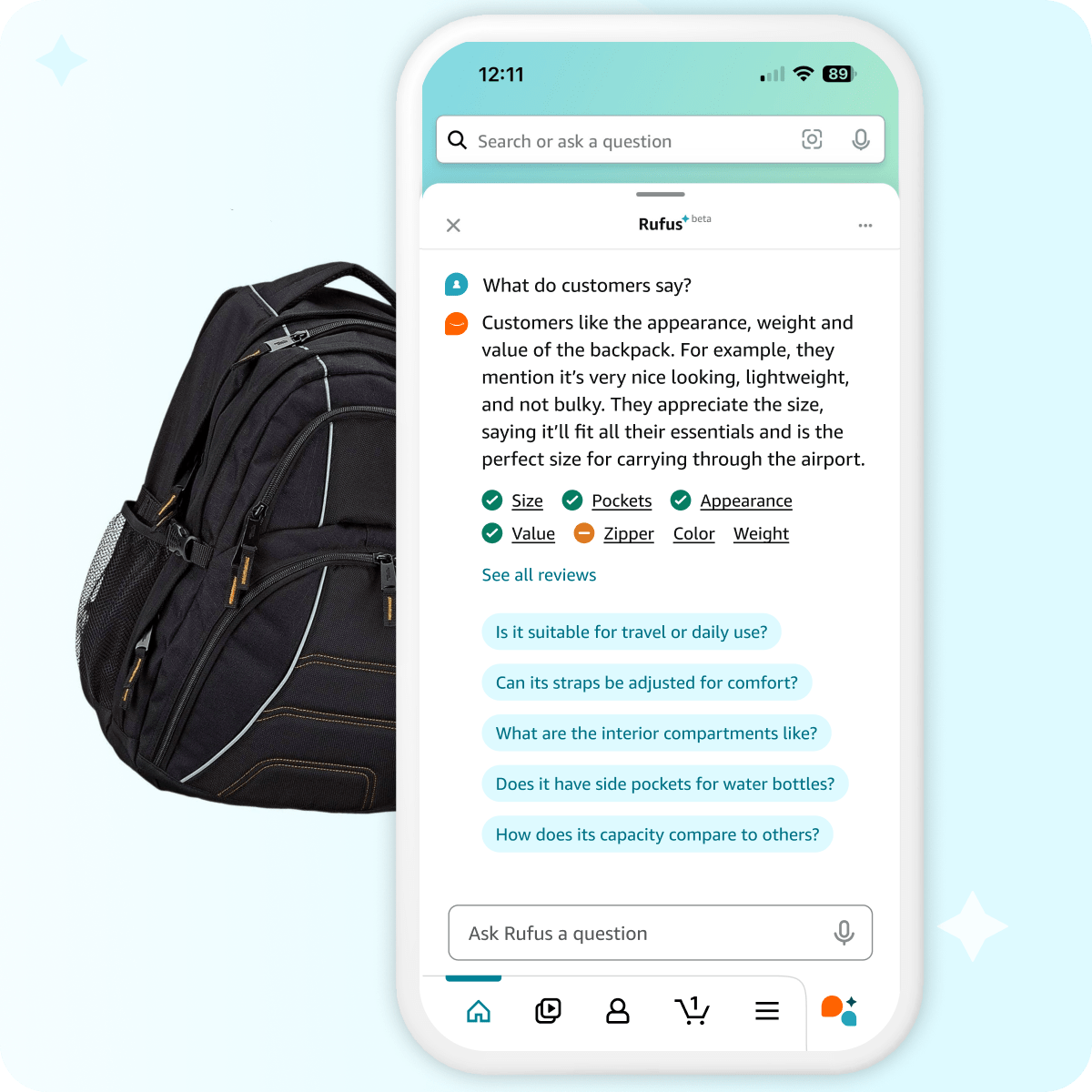
Rufus is like a well-informed friend who can keep you updated on the latest trends. Whether you’re curious about the newest tech gadgets or want to know what styles are in vogue, Rufus has the knowledge to keep you in the loop.
Beyond product recommendations and trend spotting, Rufus can also be your helpful Amazon assistant. Need to track down a past order or see when your current purchases are arriving? Just ask Rufus!


So, how do you get started with this AI shopping guru? Simply ensure you have the latest version of the Amazon Shopping app downloaded. Look for the icon with sparkling chat bubbles in the bottom navigation bar – that’s your gateway to Rufus’s helpful world.

Discover more from GadgetBond
Subscribe to get the latest posts sent to your email.


